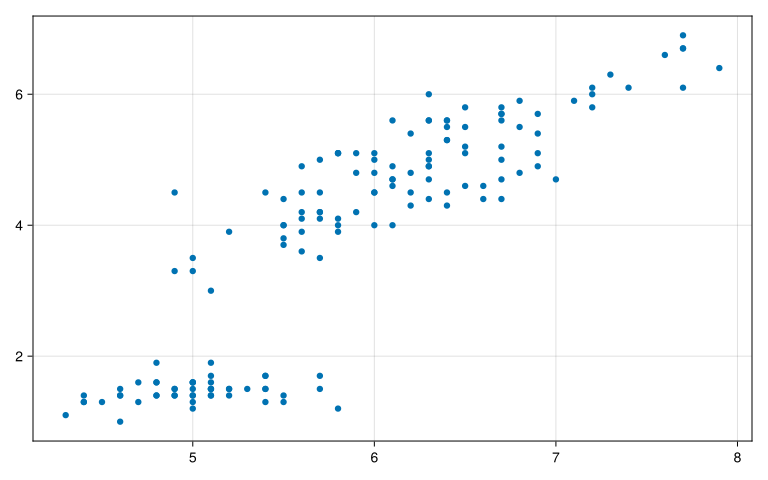
usingCairoMakieusingRDatasetsusingDataFramesMeta:@withusingCategoricalArrays:levelcodeiris=dataset("datasets","iris")typeof(iris)# Gráfico de dispersión simplescatter(iris.SepalLength,iris.PetalLength)
┌ Warning: Found `resolution` in the theme when creating a `Scene`. The `resolution` keyword for `Scene`s and `Figure`s has been deprecated. Use `Figure(; size = ...` or `Scene(; size = ...)` instead, which better reflects that this is a unitless size and not a pixel resolution. The key could also come from `set_theme!` calls or related theming functions.

└ @ Makie ~/.julia/packages/Makie/kJl0u/src/scenes.jl:264
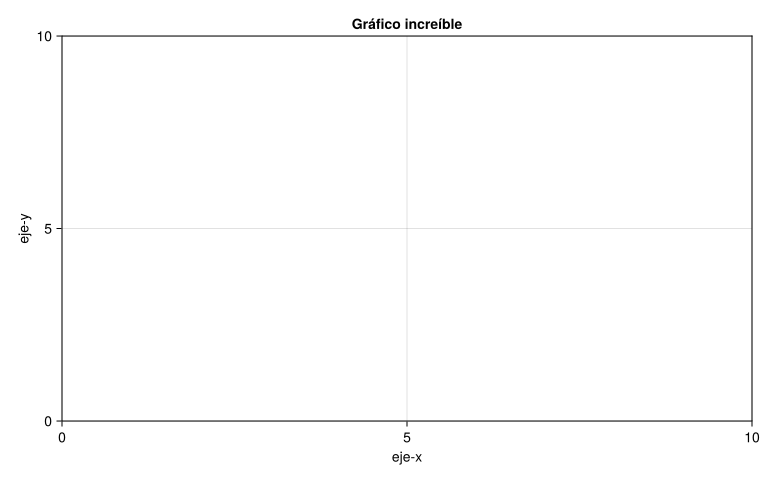
# Estructura básica de Makief=Figure();ax=Axis(f[1,1],xlabel="eje-x",ylabel="eje-y",title="Gráfico increíble")f
┌ Warning: Found `resolution` in the theme when creating a `Scene`. The `resolution` keyword for `Scene`s and `Figure`s has been deprecated. Use `Figure(; size = ...` or `Scene(; size = ...)` instead, which better reflects that this is a unitless size and not a pixel resolution. The key could also come from `set_theme!` calls or related theming functions.

└ @ Makie ~/.julia/packages/Makie/kJl0u/src/scenes.jl:264
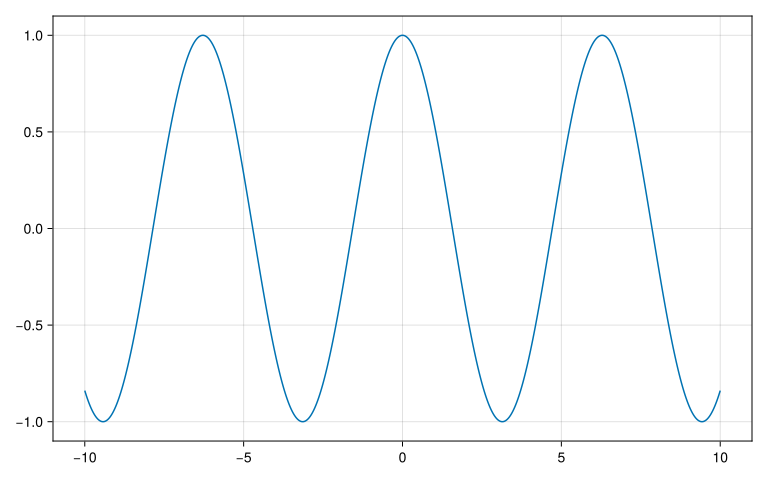
# Gráfico de líneasx=LinRange(-10,10,1000)y=cos.(x)obj=lines(x,y)
┌ Warning: Found `resolution` in the theme when creating a `Scene`. The `resolution` keyword for `Scene`s and `Figure`s has been deprecated. Use `Figure(; size = ...` or `Scene(; size = ...)` instead, which better reflects that this is a unitless size and not a pixel resolution. The key could also come from `set_theme!` calls or related theming functions.

└ @ Makie ~/.julia/packages/Makie/kJl0u/src/scenes.jl:264
typeof(obj)
Makie.FigureAxisPlot
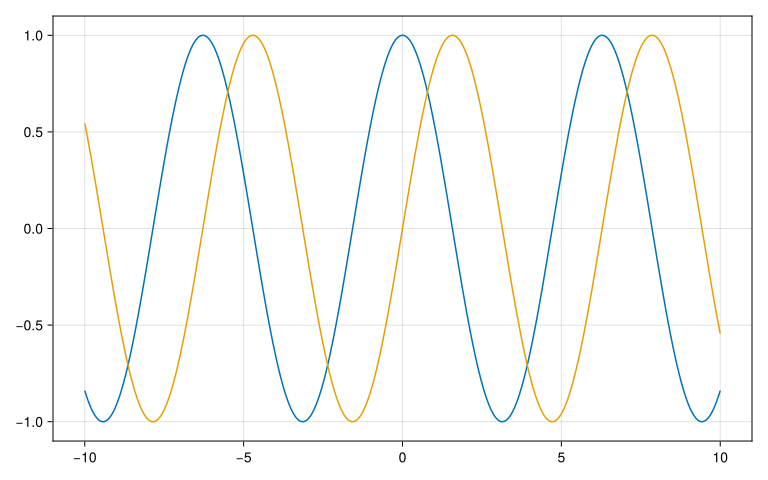
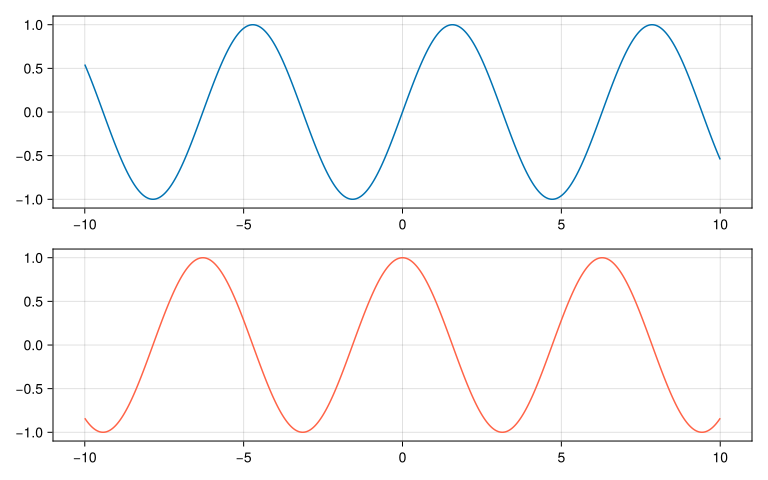
# Graficar en el mismo panelfig,axs,plot=lines(x,y)lines!(axs,x,sin.(x))fig
┌ Warning: Found `resolution` in the theme when creating a `Scene`. The `resolution` keyword for `Scene`s and `Figure`s has been deprecated. Use `Figure(; size = ...` or `Scene(; size = ...)` instead, which better reflects that this is a unitless size and not a pixel resolution. The key could also come from `set_theme!` calls or related theming functions.

└ @ Makie ~/.julia/packages/Makie/kJl0u/src/scenes.jl:264
┌ Warning: Found `resolution` in the theme when creating a `Scene`. The `resolution` keyword for `Scene`s and `Figure`s has been deprecated. Use `Figure(; size = ...` or `Scene(; size = ...)` instead, which better reflects that this is a unitless size and not a pixel resolution. The key could also come from `set_theme!` calls or related theming functions.

└ @ Makie ~/.julia/packages/Makie/kJl0u/src/scenes.jl:264
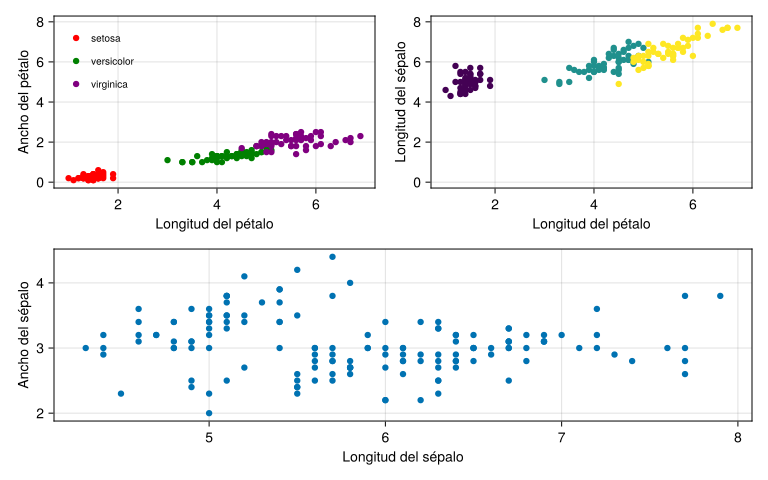
# Probando con el conjunto de datos irisfig_iris=Figure();ax_iris=Axis(fig_iris[1,1],xlabel="Longitud del pétalo",ylabel="Ancho del pétalo")colors_sp=[:red,:green,:purple]for(i,sp)inenumerate(unique(iris.Species))index=findall(==(sp),iris.Species)scatter!(ax_iris,iris.PetalLength[index],iris.PetalWidth[index],color=colors_sp[i],label=string(sp))endaxislegend(framevisible=false,position=:lt,labelsize=10)
┌ Warning: Found `resolution` in the theme when creating a `Scene`. The `resolution` keyword for `Scene`s and `Figure`s has been deprecated. Use `Figure(; size = ...` or `Scene(; size = ...)` instead, which better reflects that this is a unitless size and not a pixel resolution. The key could also come from `set_theme!` calls or related theming functions.

└ @ Makie ~/.julia/packages/Makie/kJl0u/src/scenes.jl:264
Legend()
ax2_iris=Axis(fig_iris[1,2],xlabel="Longitud del pétalo",ylabel="Longitud del sépalo")scatter!(ax2_iris,iris.PetalLength,iris.SepalLength,color=levelcode.(iris.Species))# Vincular ejes Ylinkyaxes!(ax_iris,ax2_iris)ax3_iris=Axis(fig_iris[2,:],xlabel="Longitud del sépalo",ylabel="Ancho del sépalo")scatter!(ax3_iris,iris.SepalLength,iris.SepalWidth)fig_iris
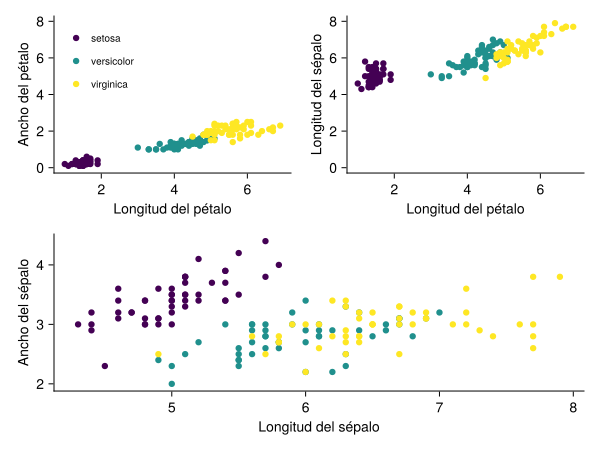
usingColorSchemesimportColorSchemes.viridiscolors_sp=[viridis[0.0],viridis[0.5],viridis[1.0]]# Definición de un tema personalizadomy_theme=Theme(Axis=(topspinevisible=false,rightspinevisible=false,ygridvisible=false,xgridvisible=false,))@withirisbeginwith_theme(my_theme)dofig_iris=Figure()ax_iris=Axis(fig_iris[1,1],xlabel="Longitud del pétalo",ylabel="Ancho del pétalo")for(i,sp)inenumerate(unique(:Species))index=findall(==(sp),:Species)scatter!(ax_iris,:PetalLength[index],:PetalWidth[index],color=colors_sp[i],label=string(sp))endaxislegend(framevisible=false,position=Symbol("lt"),labelsize=10)ax2_iris=Axis(fig_iris[1,2],xlabel="Longitud del pétalo",ylabel="Longitud del sépalo")for(i,sp)inenumerate(unique(:Species))index=findall(==(sp),:Species)scatter!(ax2_iris,:PetalLength[index],:SepalLength[index],color=colors_sp[i],label=string(sp))endlinkyaxes!(ax_iris,ax2_iris)ax3_iris=Axis(fig_iris[2,:],xlabel="Longitud del sépalo",ylabel="Ancho del sépalo")for(i,sp)inenumerate(unique(:Species))index=findall(==(sp),:Species)scatter!(ax3_iris,:SepalLength[index],:SepalWidth[index],color=colors_sp[i],label=string(sp))endfig_irisendend
Julia Tutoriales -
Este artículo es parte de una serie.